Table of Contents
Grandstream
Used to send PMS data to the Grandstream PBX. This interface only supports the new API version.
Features
- Name change.
- Check in/out.
- VIP.
- Arrival date.
- Departure Date.
- Class of service. Available values are 1, 2, 3, and 4 only.
Notes
- Names can only be set if room is checked in. The PBX does not allow a name change while the room is checked out.
- VIP is set as the Guest Category Code. 0 equals normal, 1 equals VIP.
- When using Grandstream for guest voicemail, messages will automatically be deleted when a room is checked out by the PBX.
- Unless specified Arrival Date and Expected Departure Date are set to date of check in. These fields are required and if not specified a check in will fail.
PBX Requirements
| Model | Firmware |
|---|---|
| UCM630X | 1.0.19.10 or higher |
| UCM6200 | 1.0.19.20 or higher |
| UCM6510 | 1.0.19.20 or higher |
Profile Configuration
Choose Grandstream for the Profile PBX option.
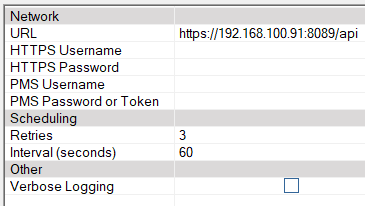
Network
| Setting | Description |
|---|---|
| URL | Enter the URL to post information to. Example: https://192.168.100.91:8089/api |
| HTTPS Username | Enter the username created on the HTTPS API (New) page. |
| HTTPS Password | Enter the password for this account. |
| PMS Username | Enter the username on the PMS Settings page. The DV2000 will use the PMS username and password to generate the MD5 token specified in the Grandstream PMS API document. |
| PMS Password | Enter the password on the PMS Settings page. |
Scheduling
| Setting | Default | Description |
|---|---|---|
| Retries | 3 | Number of times to resend a post that is rejected or otherwise fails. Default is 3 retries (for a total of four attempts). |
| Interval (seconds) | 60 | Enter the number of seconds to wait between retries. |
Other
| Field | Description |
|---|---|
| Enable debug | All communication packets will be logged. WARNING: This will make very large log files and should only be used during testing. The system doesn't need to be shutdown for this to take effect. |
Grandstream Settings
API Configuration
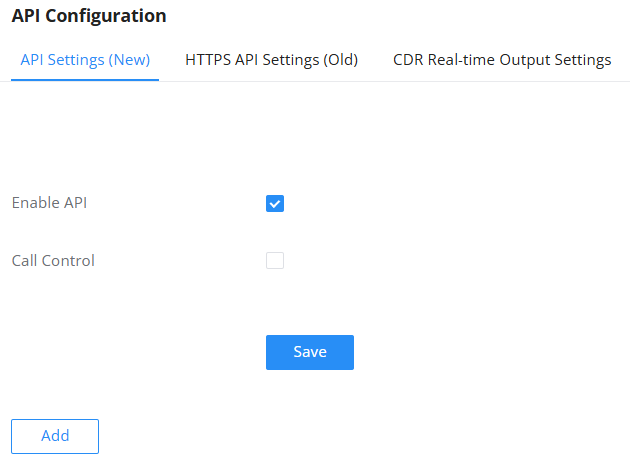
Located under Integrations | API Configuration .
Enable the API
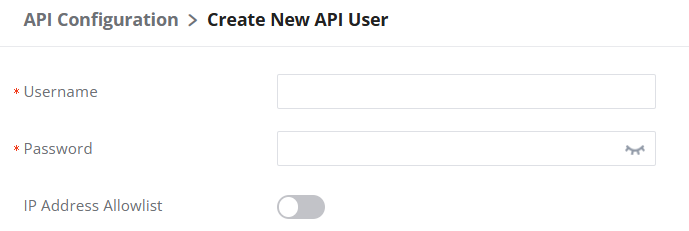
Add a user for the API
These are used for actually logging into the PBX.
Enable HTTPS API Settings (Old)
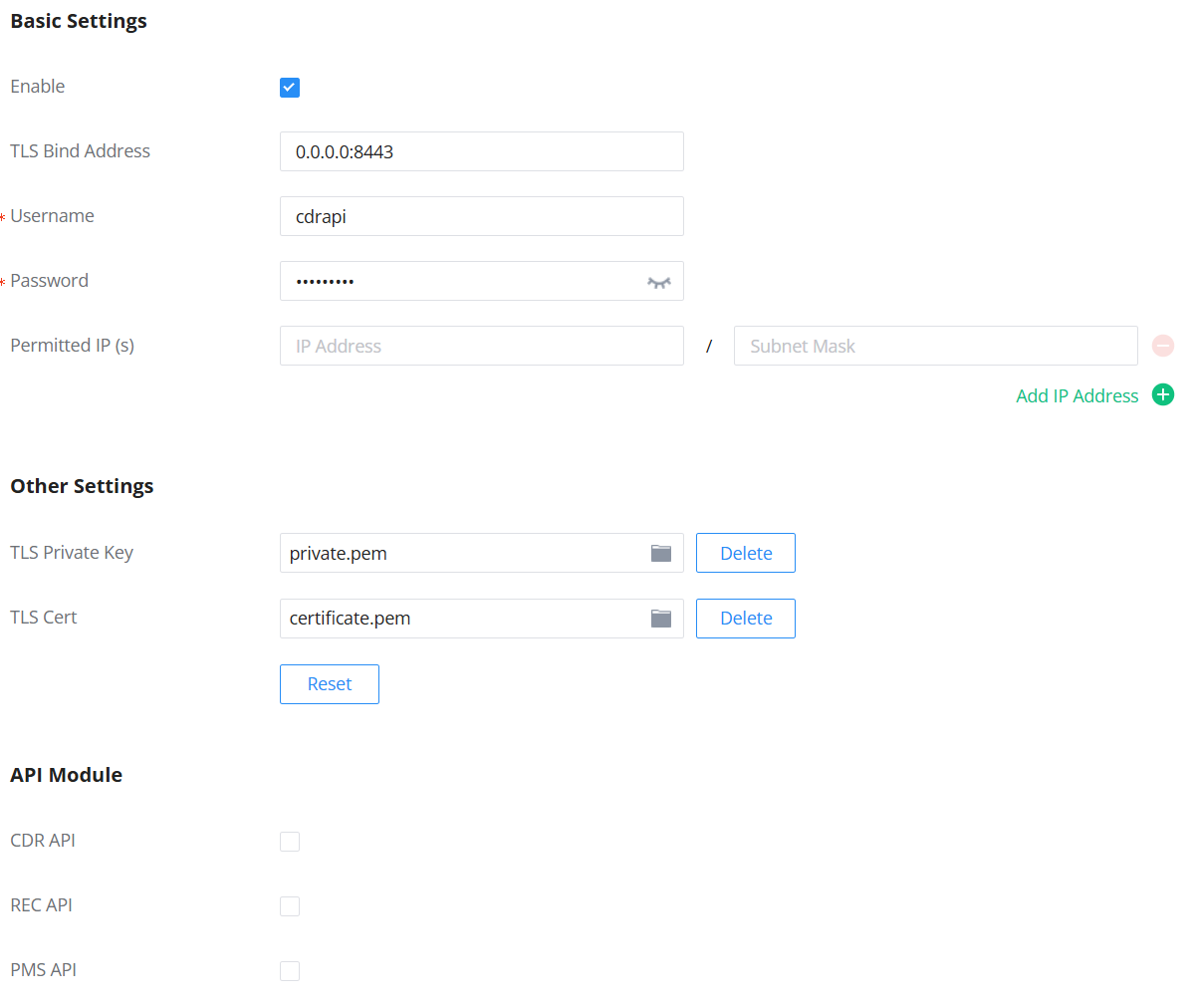
Give it PMS access

PMS Configuration
Located under Integrations | PMS .
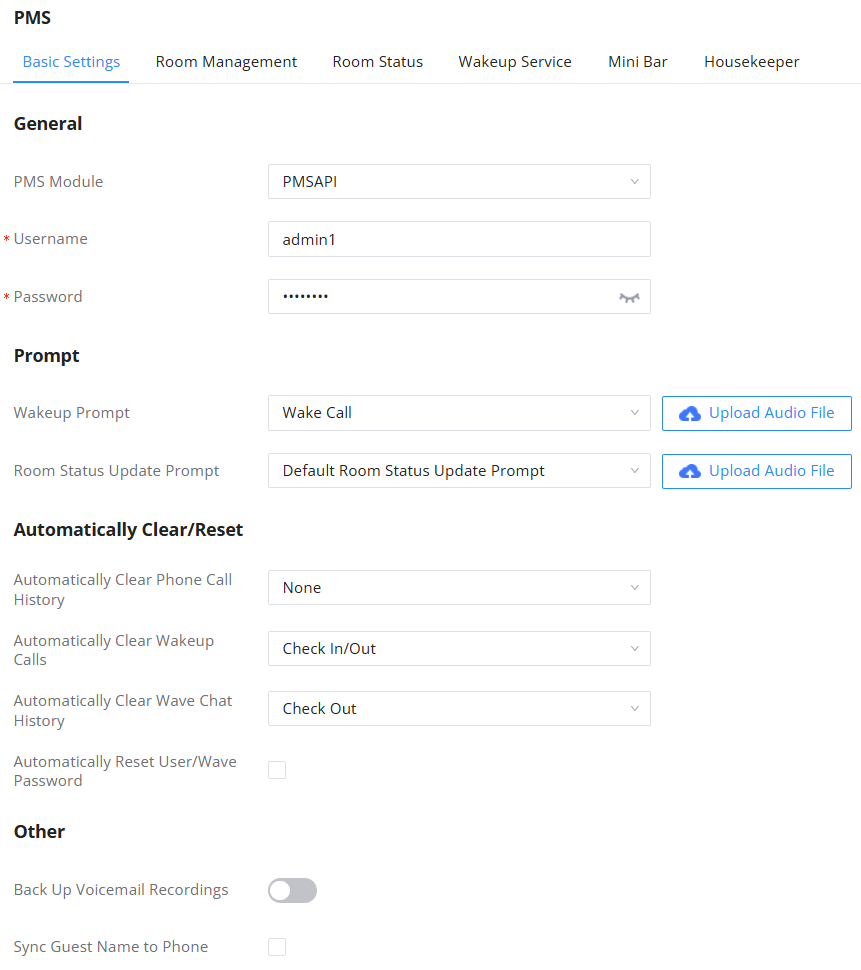
| Field | Description |
|---|---|
| PMS Module | Choose PMSAPI. |
| Wakeup Prompt | DuVoice performs the wakeup calls so this can be left un-configured. |
| Username | Enter a unique username. |
| Password | Enter a unique and secure password. |
| Back Up Voicemail Recordings | Leave unchecked when using the DV2000 as guest voicemail. DV2000 performs this action automatically when used as the voicemail. |
| Automatically Clear Wakeup Calls | Leave as None. The DV2000 is in charge of all guest wakeup calls and performs this action at checkout. |
| Automatically Clear Wave Chat History | Suggested setting is Check Out. |