Replication Profiles
For most sites, a single profile per tenant is all that is required, and this page should be ignored.
Every tenant has a profile associated with it, configured on the Details page as the primary profile. The profile is used to configure such PBX-related settings as which lines to use for notifications and, if relevant, which PBX Link to use to send name changes to the PBX.
For sites using multiple Avaya IP Office PBX systems, it may be necessary to associate more than one profile with a single tenant. This page allows you to do that. The specific use-case for assigning multiple profiles to a single tenant is if you are:
- Using an IP Office Server Edition system for IP extensions -and-
- Using one or more IP Office 500 systems for analog extensions -and-
- All extensions are otherwise considered members of the same tenant (for transfers, directory, PMS Link, etc.)
This is required in such a case because the IP Office requires name, group and DND changes for an extension to be sent to the specific PBX on which that extension was created, even if all the IP Office systems are networked together. Therefore it is necessary to have a separate PBX Link for each IP Office PBX and that means there must be a unique profile for each one.
In this configuration, any name, group or DND change will be sent both to the PBX Link for the primary profile as well as to the PBX Link for each “replication” profile selected on this page. The IP Office PBX Link service is able to query the PBX for the list of valid extensions and will, therefore, filter out and ignore change requests for any extensions associated with a different PBX.
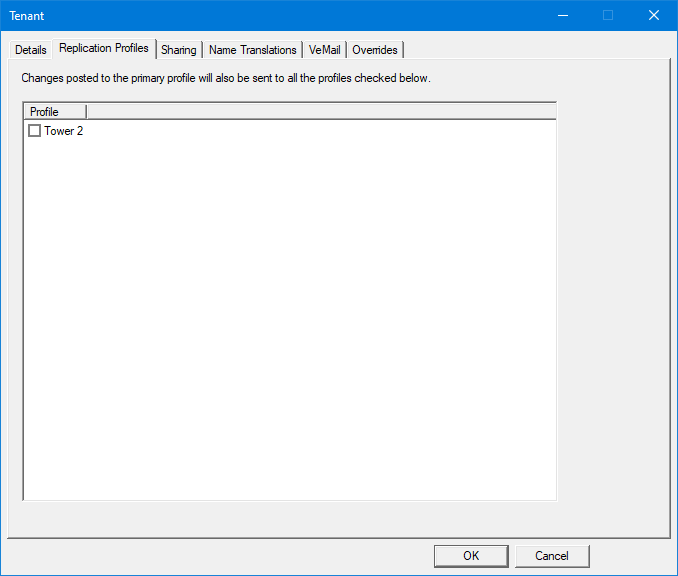
As shown above, this page consists simply of a list of all profiles, excluding the one assigned as the primary profile on the Details page, along with a checkbox for each.
Check the box next to each profile you want to associate with this tenant and click OK to save your changes.
Caveats
Do not use this feature with other PBX systems
Most PBX Link protocols supported by the 7.00 do not offer the ability to query the list of valid extensions like the Avaya IP Office does, and may generate an error if a change request is sent for an invalid extension number. This may cause problems.
For example, the Avaya ACM does log an error in such a case and too many errors may cause it to drop the link. Because the ACM protocol does not allow for requesting the list of extensions, there is no way to filter out requests intended for a different PBX.
Similar problems may occur with other PBX models as well.
Using this feature to support multiple PBX Links for a single tenant, where any of the systems is not an Avaya IP Office PBX, is not recommended.
Avaya ACM backup/rollover systems
If your site is using multiple Avaya ACM systems where one is the active primary system and all others are backup/rollover systems for redundancy, you do not need to use this feature.
Instead:
- Configure the desired profile to use the Avaya ACM PBX Link (on the Profile | Details page).
- Configure the Avaya ACM PBX Link settings (on the Profile | PBX Link | Avaya ACM page) and take note of the port number you assign.
- Configure each ACM system to connect to the IP address of the 7.00 system on the configured port.
A single Avaya ACM PBX Link is able to accept and manage connections from multiple ACM systems as long as all of them have the same dial plan.